Accessing the data#
Sometimes, it doesn’t make sense for data to be immediately parsed into an instance of the target class. We just saw an example of this in the previous section, Read only fields. When required fields are excluded from, or do not exist in the client submitted data we will get an error upon instantiation of the class.
The solution to this is the DTOData type.
 1from __future__ import annotations
 2
 3from dataclasses import dataclass
 4
 5from litestar import Litestar, post
 6from litestar.dto import DataclassDTO, DTOConfig, DTOData
 7from litestar.params import JSONBody
 8
 9
10@dataclass
11class Person:
12    name: str
13    age: int
14    email: str
15    id: int
16
17
18class ReadDTO(DataclassDTO[Person]):
19    config = DTOConfig(exclude={"email"})
20
21
22class WriteDTO(DataclassDTO[Person]):
23    config = DTOConfig(exclude={"id"})
24
25
26@post("/person", dto=WriteDTO, return_dto=ReadDTO, sync_to_thread=False)
27def create_person(data: JSONBody[DTOData[Person]]) -> Person:
28    # Logic for persisting the person goes here
29    return data.create_instance(id=1)
30
31
32app = Litestar(route_handlers=[create_person])
The DTOData type is a container for data that can be used to create instances,
and access the underlying parsed and validated data. In our latest adjustments, we import that from
litestar.dto.factory.
The handler function’s data parameter type is changed to DTOData[Person] instead of Person, and accordingly, the
value injected to represent the inbound client data will be an instance of
DTOData.
In the handler, we produce a value for the id field, and create an instance of Person using the
create_instance method of the DTOData instance.
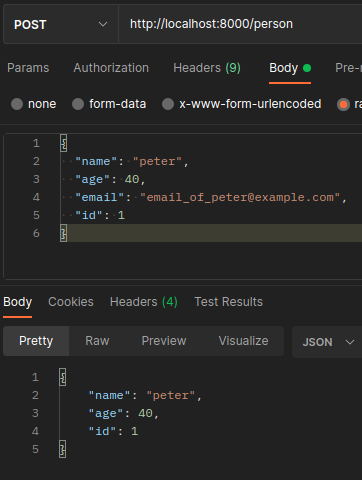
And our app is back to a working state:
Tip
To provide values for nested attributes you can use the “double-underscore” syntax as a keyword argument to the
create_instance() method. For example, address__id=1 will
set the id attribute of the address attribute of the created instance.
See Providing values for nested data for more information.
The DTOData type has some other useful methods, and we’ll take a look at those
in the next section: Updating instances.